You used to pick the profile yourself: which weapon, which scope, what is on the barrel. In 3.4 the app does it for you — and lets you fine-tune the recoil in the middle of a match. Here is what changed, step by step.
1. The app recognises your loadout
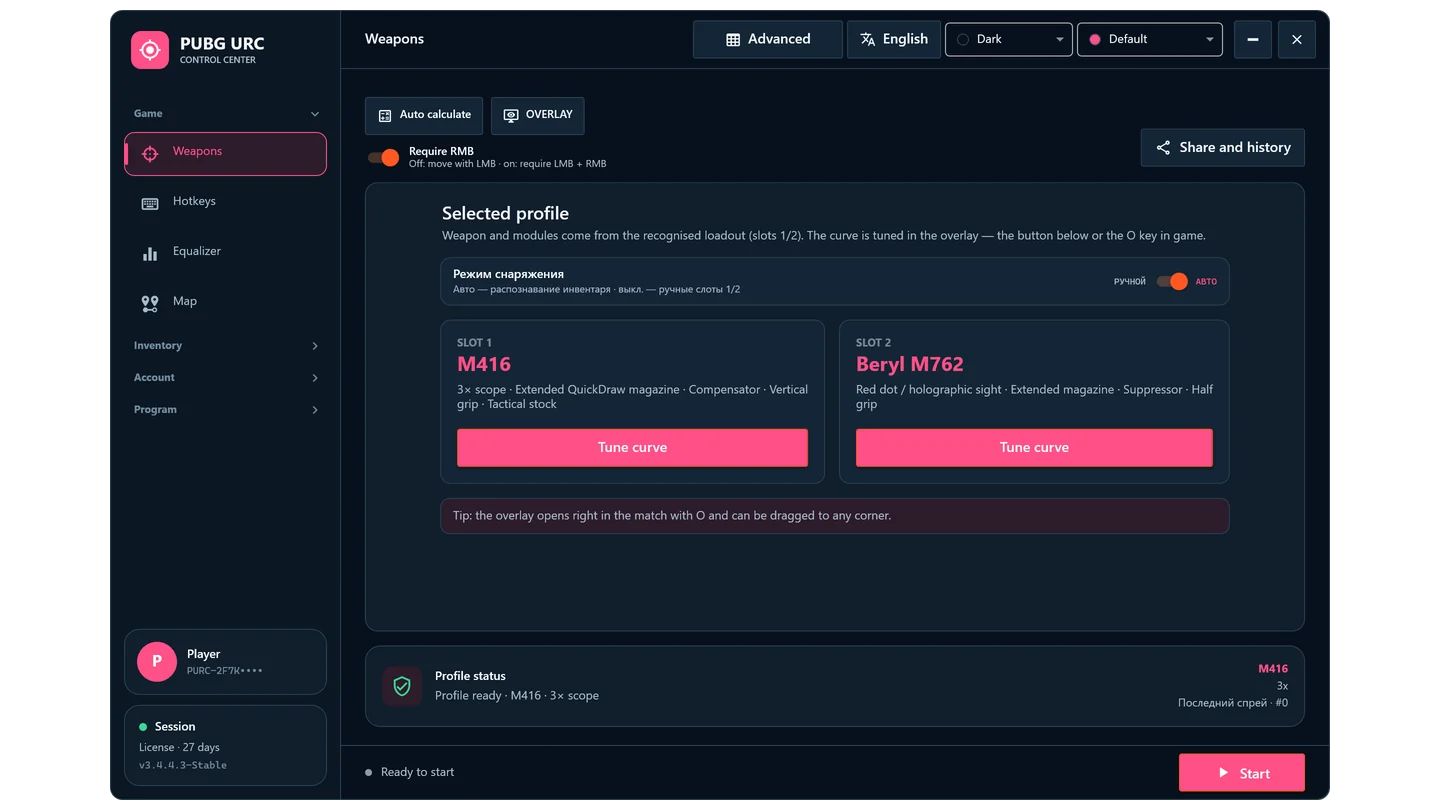
Open the inventory (Tab) and the app reads both weapon slots: weapon name, scope, magazine, muzzle, grip and stock. The profile is applied at once, and keys 1 and 2 switch it together with the slot in the game.
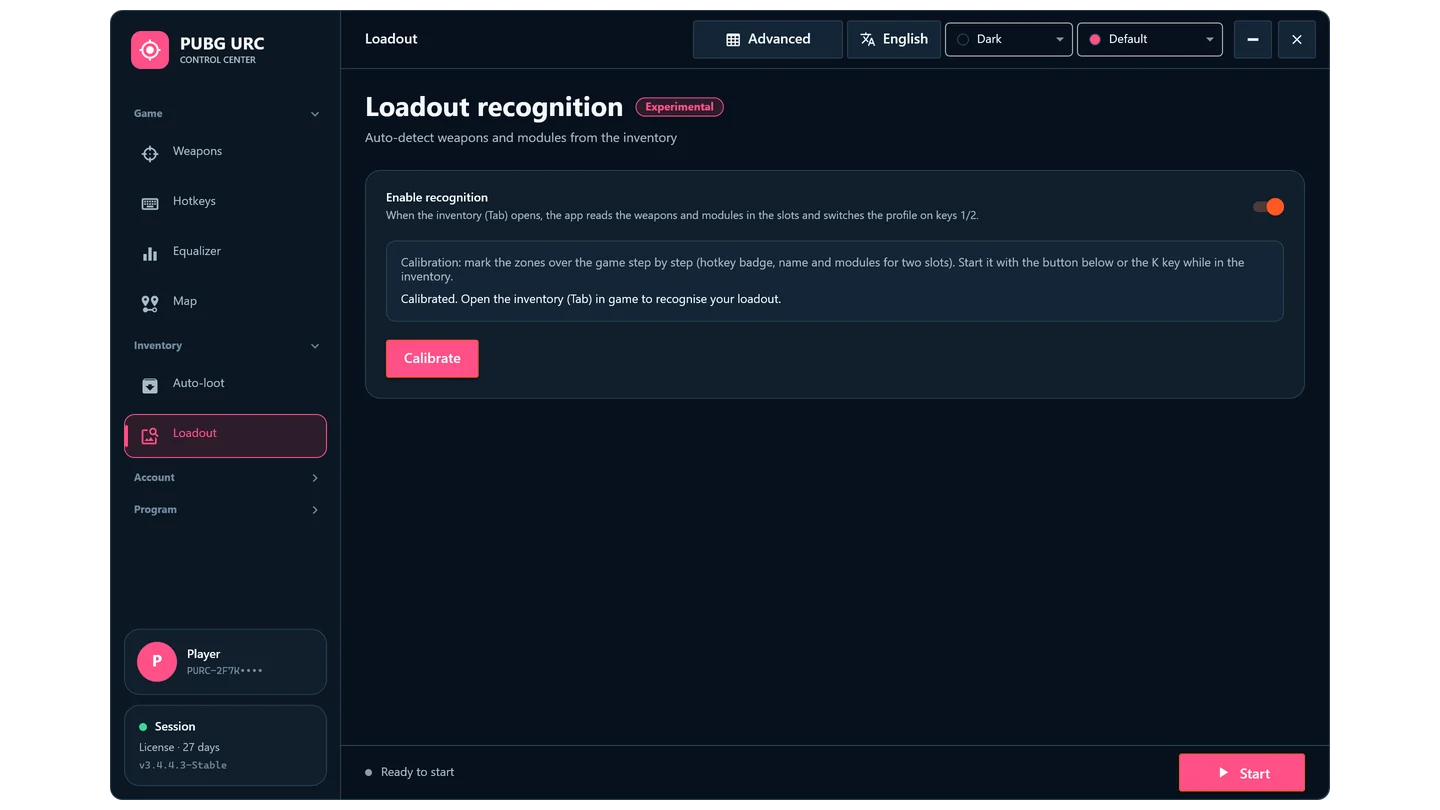
- Calibrate once. In the game open the inventory, press K and outline the slot zones as prompted.
- Only attachments that fit. No stock is looked for on a Beryl, no muzzle on a P90 — an empty slot never turns into a "suppressor".
- See what was read. The Weapons page shows both slots with every attachment.
2. The recoil curve — inside the game
Compensation follows a curve: every round of the spray has its own strength in pixels. Press O and the editor opens on top of the game, on the weapon in your hands.
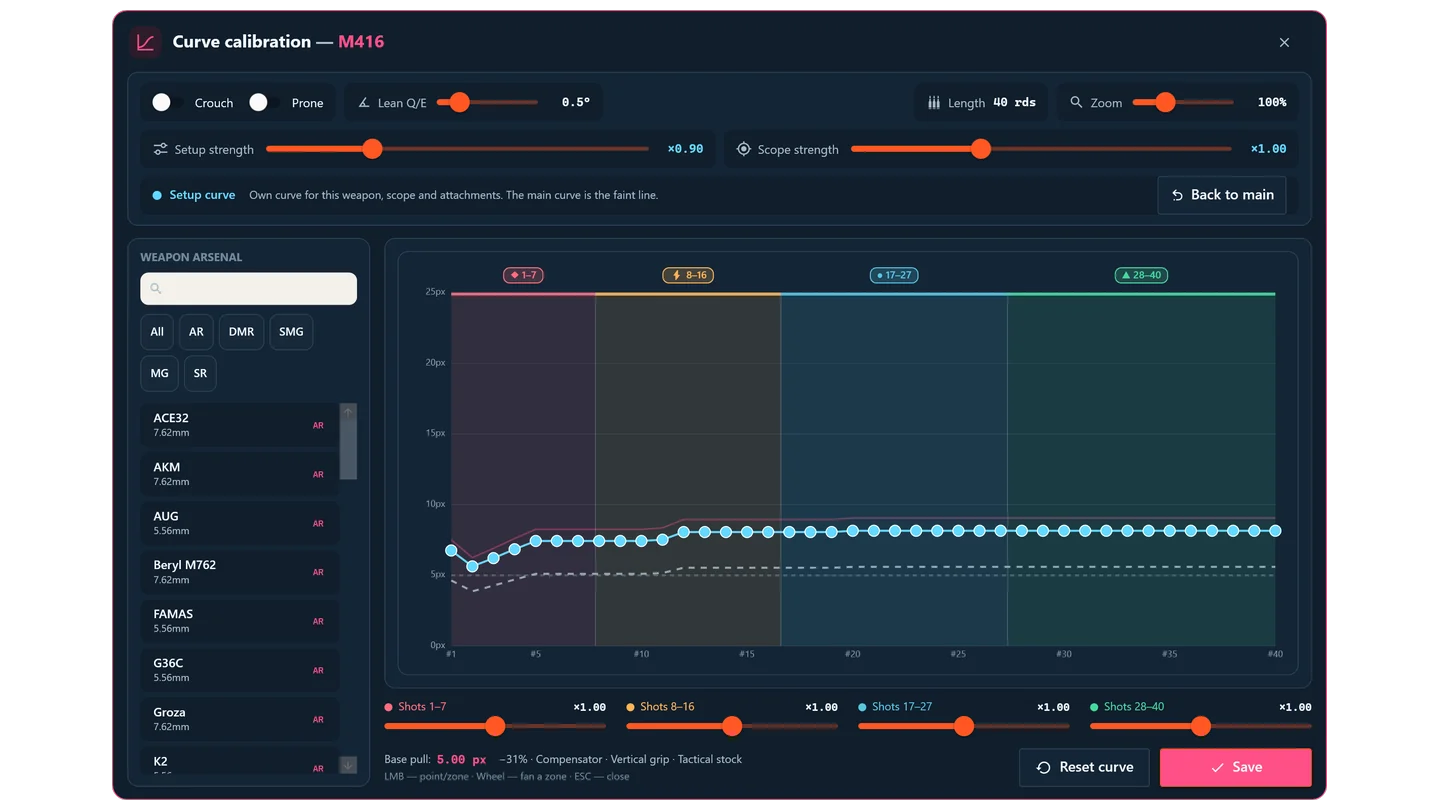
- Drag a point, or move a whole coloured zone.
- The mouse wheel over a zone fans it out: each next round a little stronger.
- The Crouch and Prone switches show how the recoil changes in those stances.
- Drag the window to a corner to test sprays without closing it.
3. A curve for every setup
The same weapon kicks differently with a compensator or a suppressor, with a red dot or a 6×. That is why the editor has two sliders: Setup strength (weapon + attachments) and Scope strength (weapon + scope).
Move either one and the setup gets a curve of its own. Edit it any way you like — the main curve stays untouched. When the app sees this setup in the inventory again, it turns its curve on by itself. "Back to main" undoes it all.
4. HUD over the game
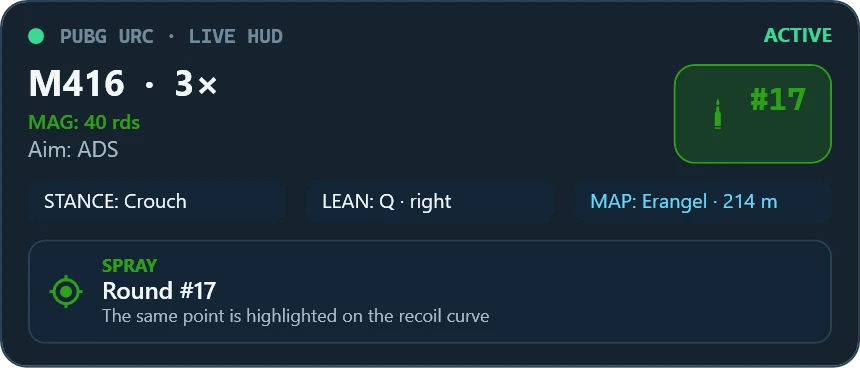
A compact panel in the corner: weapon, scope, magazine, stance, lean, round number of the spray and map distance. Hide the blocks you do not need; opacity and corner are set on Weapons → OVERLAY.
In short
- DMRs: one downward kick after every shot, adjustable up to ×30. Mk14 and VSS switch to full-auto with B.
- Lean Q / E: a small horizontal correction when peeking, up to 3°.
- Share: one code gives a friend all your settings — curves, strengths, HUD, equalizer. Loadout and hotkeys stay yours.
- Logs: if something is recognised wrong, turn on "Write diagnostic logs" in Settings and send them to support.
The update arrives in the app by itself — just confirm the install.